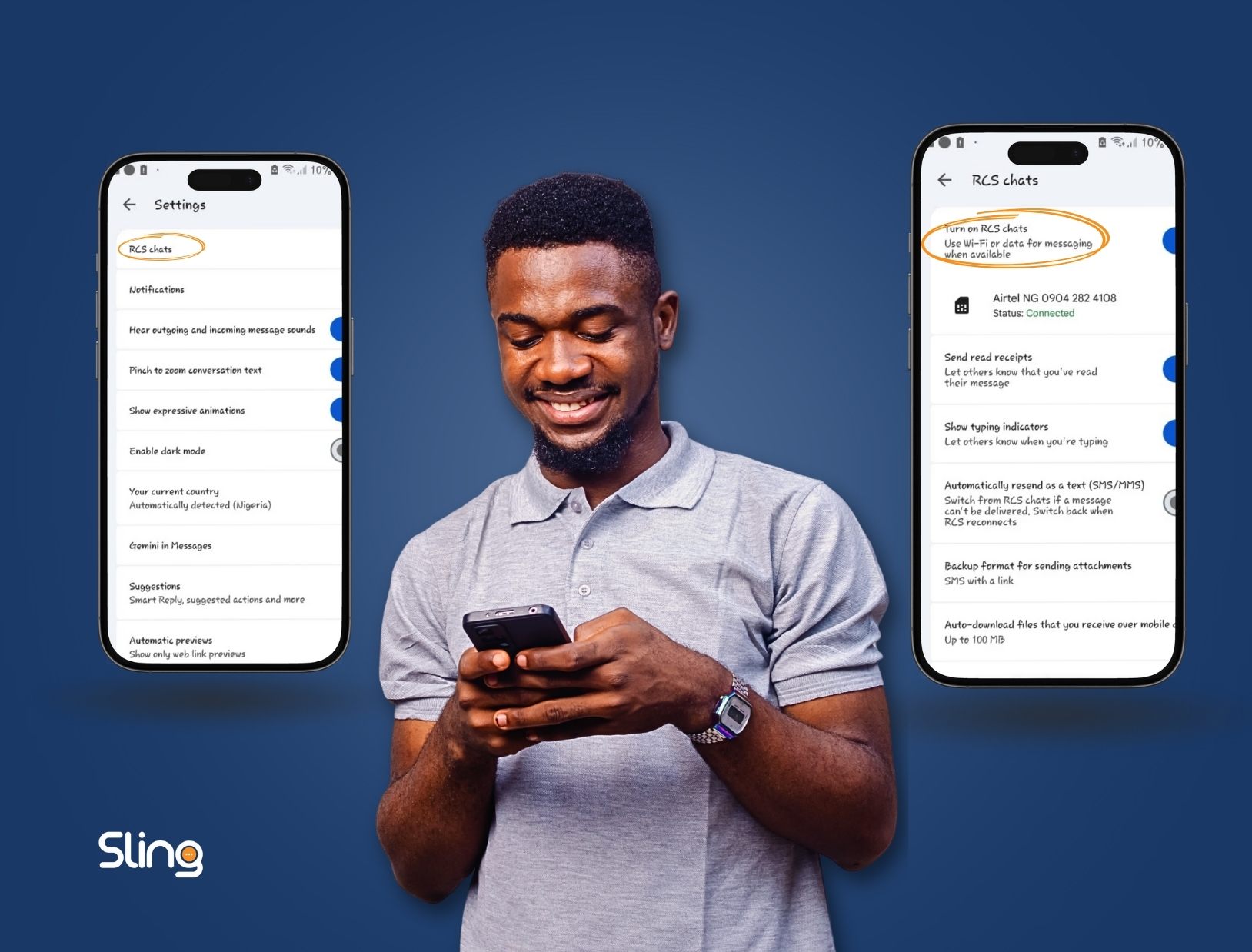
Rich Communication Services (RCS) is the next-level messaging platform that enhances traditional SMS. With features like read receipts, typing indicators, high-resolution media sharing, clickable buttons, and carousels, RCS makes texting more interactive. Whether you’re chatting with friends or using SMS for business, enabling RCS can drastically improve your messaging experience.
If you’re wondering how to enable RCS on an older Android phone, follow this step-by-step guide.
Step 1: Update or Install Google Messages
RCS is only supported through Google Messages.
- Open the Google Play Store
- Search for Google Messages
- If it’s already installed, make sure it’s updated to the latest version
- If not, install it
Step 2: Set Google Messages as Your Default Messaging App
RCS won’t work unless Google Messages is your default SMS app.
- Go to Settings → Apps → Default Apps → SMS App
- Select Google Messages
Step 3: Open Google Messages
Open the app and get ready to activate RCS.
Step 4: Access Chat Features
- Tap your profile icon or the three dots in the top-right corner
- Go to Settings or Manage Settings
- Select Chat Features (RCS Chats)
- Turn on Enable Chat Features
Note: RCS requires a stable internet connection (Wi-Fi or mobile data) to function.
Step 5: Confirm RCS Activation
Once enabled, your status should show Connected. RCS features may take a few minutes to fully activate, depending on your carrier.
Step 6: Enjoy Enhanced Messaging
Once active, you’ll notice these features:
- Read receipts & typing indicators – know when messages are seen or someone is replying
- High-resolution media sharing – send images and videos without compression
- Interactive messages – clickable buttons, carousels, and branded business messages
- Business-friendly features – useful for order updates, confirmations, and marketing
Why RCS Messaging is Better than SMS
- Richer visuals: Make messages more engaging with images, carousels, and logos
- Higher engagement: Clickable buttons and interactive elements improve response rates
- Reliable delivery: Works over the internet and avoids some of the limits of standard SMS
- Professional messaging: Perfect for businesses to communicate with customers
Who Can Use RCS Messaging
- Anyone with an Android device (older models included)
- Users with the Google Messages app
- Businesses using Google Messages API or RCS-enabled SMS services
Tip: Not all carriers fully support RCS, so check if your provider is compatible.